Zeplin AI
Zeplin / zeplin.io
AI-powered design handoff platform providing automatic style guide generation, component documentation, and developer-ready specs from Figma, Sketch, Adobe XD, and XD designs.
Pricing
Free
Free plan
Yes
Category
Design
Platforms
5
Free plan
Yes
API access
Yes
Open source
No
Platforms
5
Advertisement
What is Zeplin AI?
Zeplin is a design handoff and collaboration platform — bridging the gap between designer and developer by converting design files from Figma, Sketch, Adobe XD, and Framer into developer-ready specifications, component documentation, and style guides. AI capabilities in Zeplin include AI-generated component naming and documentation — automatically suggesting names and descriptions for design components based on visual analysis and context. Style Guide Generation automatically extracts colour palettes, typography styles, spacing systems, and grid specifications from design files — creating a living style guide that updates as designs change. Developer Specs provide exact measurements, colour codes, font specifications, and spacing values — enabling developers to implement designs with pixel precision without measuring designs manually. Component Library provides an organised, searchable repository of reusable design components — enabling designers to find and reuse components and developers to identify which component to implement. Connected Components links design components to their code implementations — enabling navigating from design to the actual code component and vice versa. With integrations with all major design tools and adoption among product teams, Zeplin validates as the leading design handoff platform.
How Zeplin AI works
Zeplin AI runs as llm assistant software built around image and text workflows. Users typically start with a prompt, upload, or connected data source, and the underlying model handles the heavy lifting before returning a result you can refine or export. It's available on web, ios, and android, with API access for teams that want to embed it into their own products.
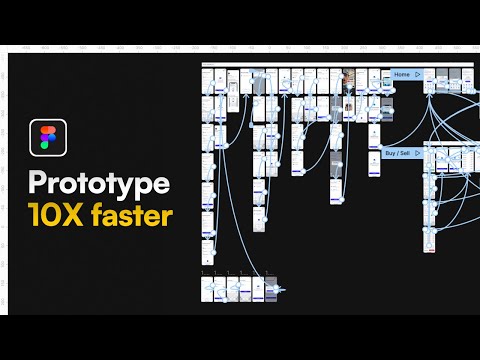
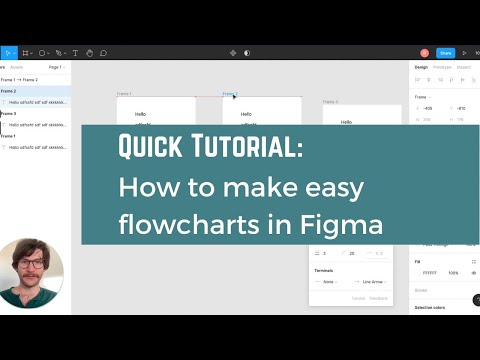
Watch Zeplin AI in action
Recent YouTube videos cached from the backend so this page stays fast and fresh.

What makes it worth shortlisting
The capabilities that matter most for teams evaluating Zeplin AI.
Style Guide Generation
Automatic extraction of colour, typography, and spacing specifications from design files — living design system documentation that updates as designs evolve without manual maintenance.
Developer Specs
Exact measurements, colour codes, font specs, and spacing values from design — enabling pixel-perfect implementation without developers measuring designs or requiring design tool access.
Connected Components
Links design components to code implementations bidirectionally — enabling navigation from design component to code component for tighter design-development collaboration.
Best use cases
Who should use it
Pros
- Major product teams validate Zeplin as the leading design handoff platform across design tools
- Style Guide Generation automatically creates living design system documentation from design files
- Connected Components links design components directly to code implementations — closing the design-dev gap
- Free plan with 1 project enables individual developer and designer evaluation without commitment
Cons
- Figma's native developer mode increasingly covers basic handoff use cases reducing Zeplin differentiation
- Starter at $8/member/month requires budget commitment for teams beyond single projects
- Competing with Figma Dev Mode (covered), InVision Inspect, and directly with the design tools themselves for handoff
Advertisement
Is it worth the price?
Free (1 project). Starter $8/member/month. Team $16/member/month. Enterprise custom.
Model
Freemium
Starting price
Free
Free trial
No
Tools like Zeplin AI
Figma Dev Mode (covered) provides native Figma handoff. Sketch's Web Inspector provides native handoff. InVision Inspect provides handoff within InVision. Abstract provides design version control.
Zeplin AI vs Canva AI
A side-by-side look at the closest alternative in this category.
Zeplin AI
Zeplin
Canva AI
Canva
Free (1 project). Starter $8/member/month. Team $16/member/month. Enterprise custom.
Free plan with ~50 AI credits/month. Canva Pro $15/month or $120/year (500 credits/month, full Magic Studio, premium assets). Teams $20/user/month. Enterprise custom pricing.
SOC 2 Type II. ISO 27001. GDPR compliant. Enterprise data handling agreements.
Teams and Enterprise include SSO, admin controls, and brand kit management. Canva Shield for content filtering.
Design file and component data processed on Zeplin cloud. Intellectual property in design files maintained under customer ownership.
Review Canva's privacy policy for uploaded assets. Enterprise includes data handling agreements.
- Major product teams validate Zeplin as the leading design handoff platform across design tools
- Style Guide Generation automatically creates living design system documentation from design files
- Connected Components links design components directly to code implementations — closing the design-dev gap
- Free plan with 1 project enables individual developer and designer evaluation without commitment
- Lowest barrier to entry for non-designers
- Tightly integrated with templates and brand kits
- Background Remover and Magic Resize save significant production time
- Strong for multi-format marketing content
- Figma's native developer mode increasingly covers basic handoff use cases reducing Zeplin differentiation
- Starter at $8/member/month requires budget commitment for teams beyond single projects
- Competing with Figma Dev Mode (covered), InVision Inspect, and directly with the design tools themselves for handoff
- Shared credit pool depletes quickly across multiple AI features
- Image quality does not match dedicated AI art tools
- No credit top-ups without upgrading
- Advanced AI features require Pro plan
Technical & deployment info
Key facts about model providers, platforms, and team support.
Model Provider
Zeplin
Platforms
Web, iOS, Android, macOS, Windows
Deployment
SaaS
Integrations
Figma, Sketch, Adobe XD, Framer, GitHub, Jira, Slack, API
Team Collaboration
Yes
Launch Year
2022
Security & privacy
Compliance signals and data-handling notes as reported by the vendor.
SOC 2 Type II. ISO 27001. GDPR compliant. Enterprise data handling agreements.
Design file and component data processed on Zeplin cloud. Intellectual property in design files maintained under customer ownership.
What users are saying
Verified reviews from signed-in users, stored in the backend and averaged into this tool's rating.
Sign in to rate Zeplin AI and leave a review.
No other reviews yet — be the first to share how this tool performs in practice.
Common questions about Zeplin AI
Editorial Verdict
Should you use Zeplin AI?
Zeplin is the best AI design handoff platform for product teams wanting automatic style guide generation, developer-ready specs across multiple design tools, and design-to-code component linking.
Last verified July 24, 2026.